
Building a remote MCP time server
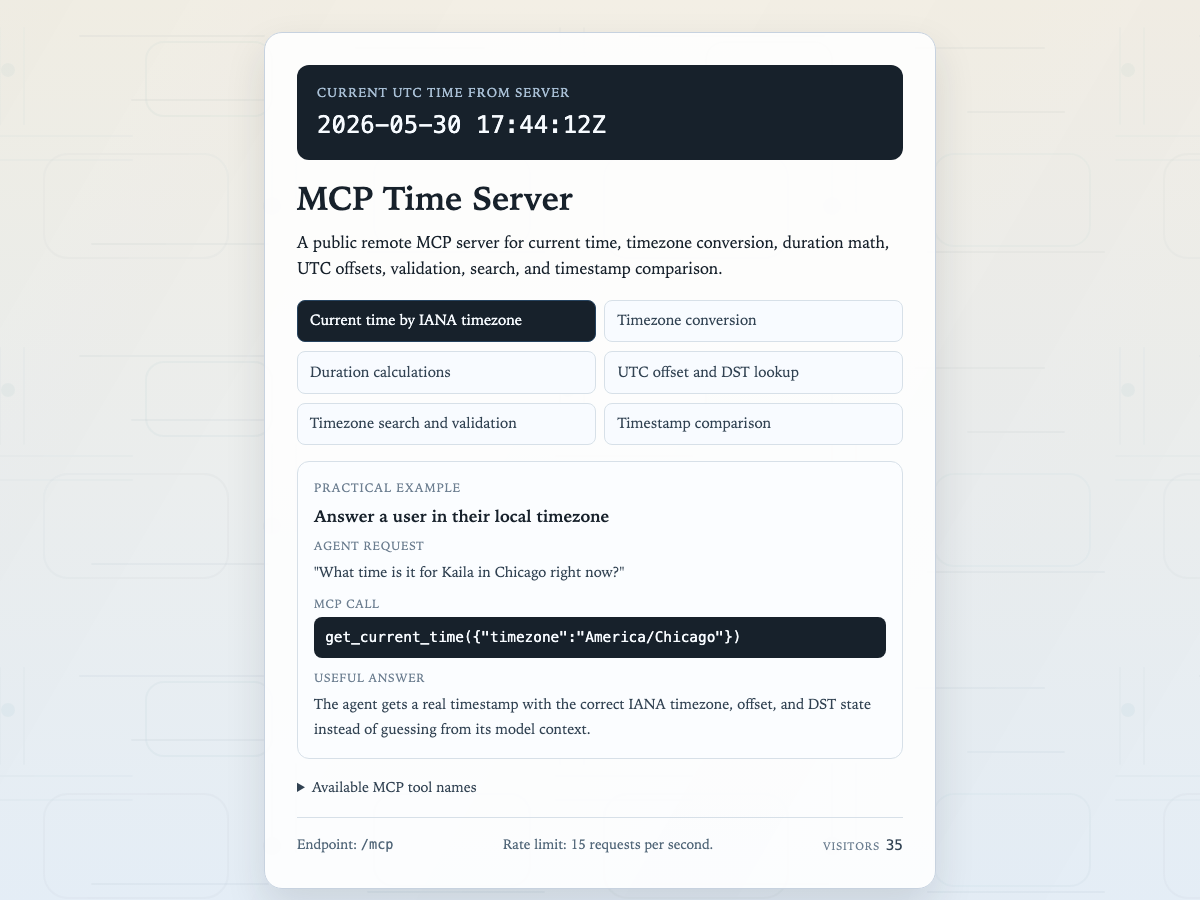
Building a remote MCP server so AI agents can ask for real time, timezone, and duration data instead of guessing.
- Tool-backed time, timezone, and duration answers instead of model guesses.
- A remote MCP endpoint exposed through a streamable HTTP `/mcp` path.
- Current time, timezone conversion, duration, validation, offsets, search, and timestamp comparison tools.
- IANA timezone names and real timezone data to avoid plausible but wrong answers.
I built a small remote MCP server because I needed an agent to answer time questions from a real clock instead of guessing.
The problem came from internal work where exact timing mattered. I needed an agent to know what time it was, compare timestamps, work across timezones, and calculate durations without quietly making up the answer.
Time is one of those areas where a plausible answer can still be wrong. Relative dates, local timezones, UTC offsets, and daylight saving changes are all easy places for an AI agent to hallucinate if it is only reasoning from text.
So I made the agent ask a tool instead.
The server is available at mcp-time.sheldylew.com, and MCP clients can connect to the streamable HTTP endpoint at mcp-time.sheldylew.com/mcp.
The tool surface is intentionally small: current time, timezone conversion,
duration calculation, timezone validation, UTC offsets, timezone search, and
timestamp comparison. It uses IANA timezone names, so an agent can ask for
America/Los_Angeles or normalize something back to UTC without guessing.
The answer comes from a real clock and timezone database. When I need a correct time window, I would rather have the agent check than guess.